Delora – Powerpoint Template for Confident Presentations
Creating a presentation that truly connects with your audience takes more than just good content. You also need visual flow, clean design, and the right balance between data and storytelling. That is where Delora – Powerpoint Template steps in. Built for anyone who wants to share ideas with clarity and impact, this template gives you a complete toolkit to build slides that feel professional without requiring hours of design work.
Whether you are preparing a business pitch, an academic lecture, or a creative portfolio, having a solid starting point changes everything. Instead of wrestling with alignment, color choices, or layout decisions, you can focus on shaping your message. Delora – Powerpoint Template handles the visual heavy lifting while keeping your content front and center.
What Makes Delora – Powerpoint Template Different
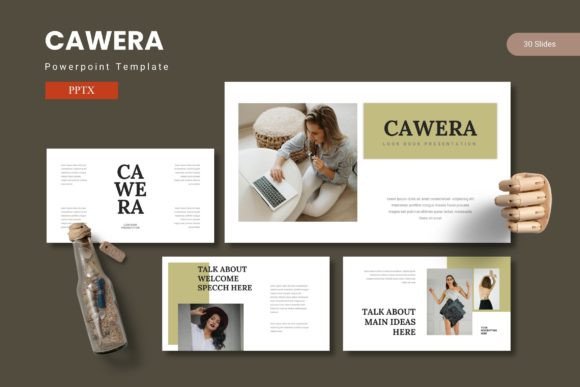
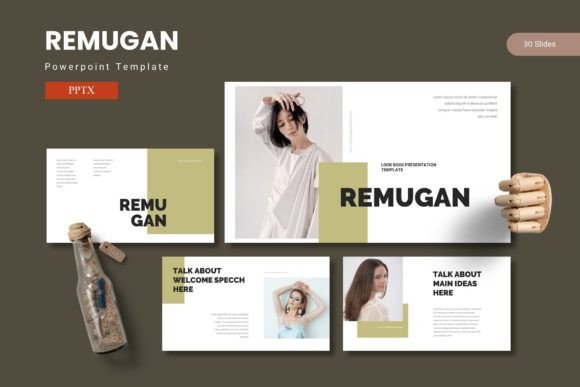
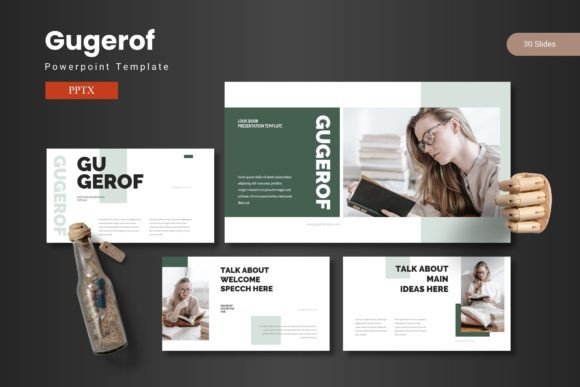
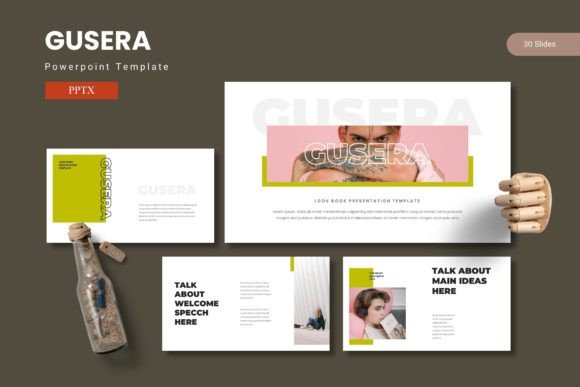
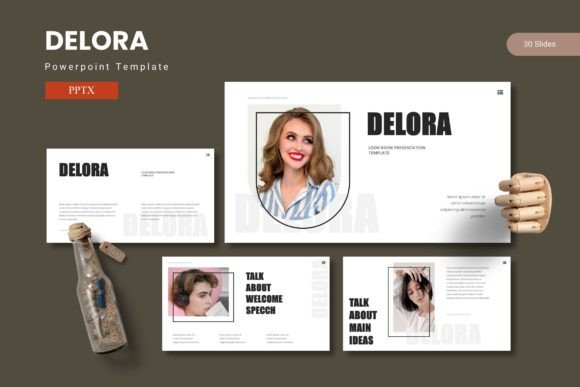
At its core, this template is built around flexibility and consistency. It includes 150 total slides spread across 5 premade color schemes, meaning you are never locked into one look. Each color variation contains 30 slides, so you can pick the palette that fits your tone and stick with it throughout your entire deck. This coherence matters because audiences pick up on visual consistency—it builds trust and keeps attention on your message.
The template also features section break slides that help you transition between topics smoothly. Instead of jumping abruptly from one idea to another, you get natural pauses that guide viewers through your narrative. Small touches like these make a big difference in how your presentation feels from start to finish.
Handcrafted Infographics and Editable Graphics
Data can be dry, but it does not have to be. Delora – Powerpoint Template includes handcrafted infographic slides built on master slides, so you can insert your numbers and let the design do the explaining. Every graphic is resizable and editable, which means you can adjust colors, sizes, and positions without breaking the layout. If you need to match your brand colors or tweak a chart shape, you can do it in seconds.
Pixel-perfect illustrations add polish without feeling generic. These are not afterthoughts—they are designed to complement your content and enhance readability. Whether you are showing growth metrics, comparing options, or explaining a process, the visuals support your story instead of distracting from it.
Why You Might Need Delora – Powerpoint Template
Most presenters fall into one of two groups. The first group spends too much time designing slides and not enough time refining content. The second group uses default templates that feel tired and fail to engage viewers. Delora – Powerpoint Template offers a middle path. It gives you a professional starting point that saves time while leaving room for your personality and ideas.
If you have ever felt frustrated by rigid slide layouts that force your content into awkward shapes, this template offers relief. Picture placeholders use a simple drag-and-drop system, so adding images is straightforward. Gallery and portfolio slides are included for visual projects, making it easy to showcase work without building custom layouts from scratch.
Beginners appreciate the straightforward structure. You open the file, choose your color scheme, and start replacing placeholder text with your own. There is no steep learning curve or hidden complexity. If you can type and drag images, you can create a polished presentation in a fraction of the time it usually takes.
For Professionals and Creators Alike
Entrepreneurs and small business owners often need to present proposals, share quarterly updates, or pitch to investors. Using a template like Delora signals that you take your work seriously. Clean slides with cohesive colors and clear infographics help your audience focus on your numbers and ideas rather than wondering why your slides look inconsistent.
Educators and freelancers also benefit from the variety. Whether you are teaching a workshop, presenting a case study, or building an online course module, having 150 slides to choose from means you never have to reuse the same layout in a boring way. You can mix and match, keeping your presentations fresh and engaging across different topics and audiences.
Marketers and bloggers can use this template for client reports, content strategy presentations, or webinar slides. The portfolio and gallery slides are especially useful if you need to display visual work—design mockups, photography, product shots, or before-and-after comparisons. The drag-and-drop image placeholders remove friction, so you can assemble a visual narrative quickly.
Practical Use Cases That Fit Your Workflow
Imagine you are preparing a quarterly review for your team. You need to show revenue trends, highlight key wins, and outline next steps. With Delora – Powerpoint Template, you can pull infographic slides for your data, section break slides to separate each quarter, and clean text slides for your commentary. Everything stays consistent because you are working within one color scheme.
Or maybe you are a freelance designer pitching to a new client. You want your presentation to reflect your visual taste while keeping the focus on your services. The gallery slides let you embed examples of past work, and the editable graphics allow you to adjust colors to match your own brand. The result feels custom without requiring custom design time.
For educators building a lecture series, having 30 slides per color scheme makes it possible to create entire modules that feel connected. You can use one color palette for the main content and another for supplementary materials, keeping things organized while maintaining visual interest. The master slide setup ensures that any changes you make apply throughout the deck, which saves hours of manual editing.
What to Consider Before Using Delora – Powerpoint Template
While this template is designed to be beginner-friendly, there are a few things worth noting. The main file includes 5 PPTX files—one for each color scheme—so you will want to pick the one that fits your context before you start editing. Switching colors mid-project is possible but can be time-consuming if you have already customized graphics. It is better to choose early and build from there.
The template also relies on certain fonts that you will need to install separately. The folder includes a Readme First document with font and photo information, so review that before you begin. Taking five minutes to read the setup guide can save you frustration later, especially if you are working on a deadline.
Because all graphics are resizable and editable, you have a lot of control over the final look. However, that freedom also means you might be tempted to over-customize. Keep in mind that the template works best when you let its built-in design guide your choices. Small adjustments are fine—major overhauls can dilute the professional polish that makes it useful in the first place.
Getting the Most Out of Your Template
Start by exploring all 150 slides. Flip through the different layouts to get a sense of what is available before you decide on a structure. This upfront familiarity helps you use the template smarter, not harder. When you know what exists, you can map your content to the best slide types instead of forcing ideas into mismatched layouts.
Use the section break slides intentionally. Each time you move to a new topic, insert a break slide to reset your audience's focus. This pacing technique keeps viewers engaged and helps your overall narrative flow better. It is a simple habit that elevates presentations of any length.
Finally, remember that the best presentations are not about the slides—they are about the person speaking and the ideas being shared. Delora – Powerpoint Template gives you a strong foundation, but your content and delivery are what truly resonate. Use the confidence that comes from having clean, professional visuals to focus on connecting with your audience rather than worrying about your slide design.
Whether you are a seasoned presenter or someone preparing their first important deck, this template offers a practical, time-saving tool that supports your goals. With 150 slides, 5 color options, and built-in flexibility, it adapts to your needs instead of forcing you into one rigid format. That flexibility is what makes it a worthwhile addition to any presenter's toolkit.