Building Professional Presentations with the Dumeras Google Slide Template
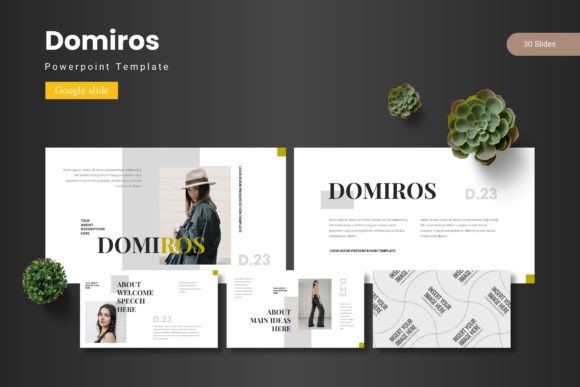
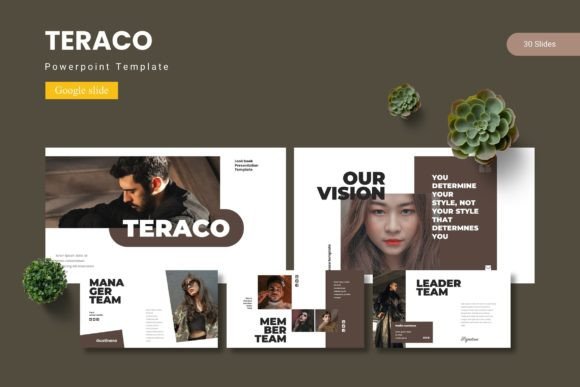
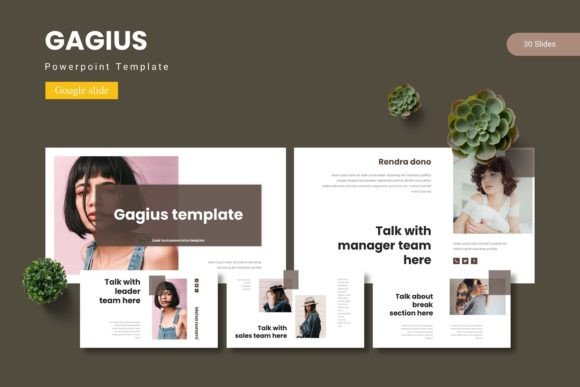
Creating a compelling presentation often requires more than just good content. The visual structure, pacing, and design consistency determine whether your audience stays engaged or loses interest. The Dumeras Google Slide Template offers a comprehensive solution for professionals who need polished, scalable slides without spending hours on layout and formatting. With 150 total slides distributed across five premade color schemes, this template provides a versatile foundation for business pitches, educational content, e-commerce showcases, and personal projects alike.
Understanding the Scope of the Template
At its core, the Dumeras Google Slide Template is built around the idea of efficiency and flexibility. The package includes 30 slides per color variation, meaning you can maintain a consistent visual identity while switching between palettes to suit different audiences or brand guidelines. Each of the five color schemes is fully integrated into the master slides, so changing the overall look of your deck does not require manually updating each slide individually.
The template is designed exclusively for Google Slides, which means no additional software is needed. Editing happens entirely within the browser-based environment. You can input your own text, drag and drop images into placeholders, and adjust colors using the built-in theme editor. This workflow eliminates the friction of exporting files between applications or dealing with compatibility issues between PowerPoint and Google Slides.
What the 150 Slides Cover
With 150 slides in total, the template provides enough material to build a complete presentation from start to finish. The slide types include title layouts, section breaks, content slides with image placeholders, portfolio and gallery pages, infographic-based data displays, and closing slides. The section break slides are particularly useful for dividing long presentations into logical segments, helping audiences follow the narrative flow.
Each color variation contains the same set of 30 slide layouts, so you are not sacrificing structure for the sake of aesthetic choice. The consistency across variations means you can experiment with different color schemes early in the design process without rebuilding your slide deck from scratch if you change your mind later.
Applications Across Professional Contexts
The multipurpose nature of the Dumeras template makes it suitable for a wide range of professional scenarios. Understanding how different users can apply these slides helps clarify the template's real-world value.
Business Pitches and Investor Decks
Startups and established companies alike need pitch decks that communicate value propositions clearly and quickly. The infographic-based slides in this template allow you to present market data, growth metrics, and competitive analysis in a visually digestible format. The clean layouts prevent overcrowding, which is a common pitfall in pitch decks where presenters try to cram too much information onto a single slide.
The portfolio and gallery slides also serve well for showcasing product screenshots, team photos, or case study visuals. When presenting to investors, the ability to maintain professional design throughout the deck signals that your team values attention to detail, which can build trust before you even speak a word.
E-commerce and Product Promotion
Online retailers and product teams can use the template to create lookbooks, product catalogs, and promotional presentations. The image placeholders are designed for drag-and-drop functionality, making it straightforward to swap in product shots without resizing or cropping manually. The gallery layouts allow for multiple product images on a single slide, which works well for comparison shots or lifestyle photography.
The five color variations also enable season-specific campaigns. A summer product launch might use a brighter palette, while a holiday campaign could switch to a warmer, richer scheme. Because the template is entirely editable within Google Slides, marketing teams can adapt the look without needing graphic design software.
Educational and Training Content
Educators, trainers, and workshop facilitators frequently need presentations that balance information density with visual clarity. The infographic-based slides in the Dumeras template are ideal for explaining processes, timelines, and hierarchical concepts. Students and trainees are more likely to retain information when it is presented through well-structured visuals rather than dense text blocks.
The section break slides also help in longer training sessions by providing natural pause points. When participants can see that a new section is beginning, they can reset their attention and prepare for the next topic. This small structural element improves the overall learning experience.
Design Characteristics and Visual Philosophy
The template's design is built around scalability and readability. Every graphic element is resizable and editable, which means you are not locked into fixed proportions. If a particular layout needs to accommodate a longer headline or a larger image, you can adjust the elements without breaking the slide's visual balance.
The pixel-perfect illustrations are handcrafted, which gives the template a polished feel that is often missing from generic clip-art based designs. Because the illustrations are vector-based and editable, you can recolor them to match your brand without worrying about resolution loss. This is particularly important when presenting on large screens or projectors where pixelation becomes obvious.
The Role of Master Slides
One of the more practical features of this template is its reliance on Google Slides master slides. Master slides allow you to make global changes to fonts, colors, and backgrounds across all slides at once. If you decide halfway through building your presentation that the primary heading color should be darker, you can update the master slide, and every slide in your deck will reflect that change automatically.
This approach saves significant time compared to manually editing each slide individually. It also ensures consistency across the presentation, which is a hallmark of professional design. Even if you are not a designer, using master slides correctly can elevate the quality of your output considerably.
Color Systems and Customization Workflow
The five premade color schemes in the Dumeras template are designed to cover a broad spectrum of use cases. While the specific palette names are not listed in the product description, the variety allows you to choose a scheme that aligns with your brand identity or presentation tone. Whether you need a conservative palette for corporate reporting or a vibrant scheme for creative pitches, one of the five options is likely to fit.
Changing the color scheme is straightforward. The template includes a readme file that guides you through the process of switching between the provided variations. Because each of the 30 slides per variation is based on the same structural layout, swapping colors does not disrupt the alignment or spacing of your content.
For users who want to create a custom color scheme, the editable nature of the template allows you to modify individual elements. The master slide approach means you can define new theme colors and apply them across the entire deck with minimal effort. This level of customization is valuable for agencies or freelancers who need to adapt the same base template for multiple clients.
Font and Photo Integration
The template also includes guidance on fonts and photo usage. The readme file explains which fonts are used in the design and where to find them. Since Google Slides integrates with Google Fonts, you can easily apply web-safe typefaces that look consistent across devices. The photo information section helps you understand image placement and scaling, which is useful if you are working with images of varying aspect ratios.
When using your own photos, the picture placeholders are designed to accept drag-and-drop inputs. You simply drag an image from your computer onto the placeholder, and Google Slides automatically scales and crops it to fit the designated space. This removes the need for manual image editing before insertion.
Practical Use Cases for Different Professionals
To fully appreciate the template's versatility, consider how different professionals might integrate it into their workflows.
Marketing Managers
A marketing manager preparing a quarterly review can use the infographic slides to present campaign performance metrics, conversion rates, and channel breakdowns. The gallery slides can showcase creative assets from recent campaigns. Because the template is entirely within Google Slides, the manager can collaborate with team members in real time, making updates during feedback sessions without version control issues.
Freelance Consultants
Consultants who work with multiple clients often need to produce presentations quickly. Having a single template that can be recolored and restructured for different engagements saves hours of design work. The master slide system allows the consultant to maintain a consistent personal brand while adapting to each client's visual guidelines.
Nonprofit Organizations
Nonprofits frequently need to create presentations for donor meetings, board updates, and public awareness campaigns. The clean, professional design of the Dumeras template helps convey credibility without appearing overly corporate. The five color variations allow the organization to choose a palette that reflects its mission, whether that is warm and inviting or bold and energizing.
Educators and Academics
Professors and researchers can use the template for conference presentations, lecture slides, and departmental updates. The infographic layouts are particularly useful for presenting research data, timelines, and process flows. Because Google Slides is cloud-based, academics can access their presentations from any device without carrying files on USB drives.
Considerations When Using the Template
While the Dumeras Google Slide Template offers substantial flexibility, there are a few considerations to keep in mind to get the most out of it.
First, the template is designed for Google Slides specifically. If your workflow requires PowerPoint files, the included PPTX files provide a bridge, but the editing experience may differ slightly between the two platforms. Google Slides handles certain animations and transitions differently than PowerPoint, so if you rely heavily on specific motion effects, you should test the animated slides in your target presentation environment.
Second, while the template includes 150 slides, you are not expected to use all of them in a single presentation. The volume of slides gives you options to pick and choose the layouts that best suit your content. Overloading a deck with too many slide types can create visual inconsistency. It is better to select a subset of layouts and stick with them throughout the presentation.
Third, the template relies on a folder structure that includes separate files for each color variation. Keeping these files organized is important if you plan to switch between schemes frequently. The readme file contains instructions for navigating the folder, so reviewing that document before starting your project is advisable.
Working with Animated Slides
The product description mentions that the presentation includes animated slides. Animations in Google Slides can add polish to transitions and reveal content sequentially during a live presentation. However, animations should be used judiciously. Overusing motion effects can distract from your message and slow down the pace of your talk.
The template's animations are likely applied to entrance effects, transitions between slides, or emphasis on specific elements. You can customize these animations within Google Slides by adjusting the timing, trigger, and animation type. If you prefer a static presentation, you can remove the animations entirely without affecting the slide layouts.
Comparing to Other Presentation Approaches
Many professionals default to building presentations from scratch or using generic templates. Building from scratch offers full control but requires significant time investment. Generic templates often lack the structural depth needed for longer presentations and may not include section breaks or infographic layouts.
The Dumeras template occupies a middle ground. It provides enough structure to save time while offering enough flexibility to feel customized. The 150-slide count and five color variations distinguish it from simpler templates that only offer a handful of layouts. For users who frequently present and want a consistent, professional look without reinventing the design each time, this template offers a practical solution.
Final Observations on Practical Value
The strength of the Dumeras Google Slide Template lies in its balance between breadth and usability. With 150 slides across five color schemes, it covers the majority of presentation needs that business professionals, educators, and creators encounter. The reliance on Google Slides means that editing is accessible to anyone with a browser, and the master slide structure ensures design consistency even for users with limited graphic design experience.
The handcrafted illustrations and pixel-perfect attention to detail elevate the visual quality beyond what most generic templates offer. At the same time, the editable nature of every element ensures that you are not locked into someone else's design choices. You can adapt the template to reflect your brand, your content, and your personal style.
For anyone who needs to produce presentations regularly, having a well-structured template like this one reduces friction in the creation process. Instead of spending time on layout decisions and formatting consistency, you can focus on content, messaging, and delivery. The Dumeras template provides the scaffolding, and you provide the substance.